

Having a professional email address that matches your website domain is crucial for building credibility and trust with your audience. Instead of using a generic Gmail or Yahoo address, imagine the impact of communicating from yourname@yourbusiness.com.
In this comprehensive guide, I'll walk you through various options to set up a custom domain email, from completely free solutions to premium services.
Why You Need a Custom Domain Email
Before diving into the options, let's understand why this matters. A custom domain email:
• Builds professional credibility - Shows you're serious about your business
• Enhances brand recognition - Every email reinforces your brand
• Improves trust - Recipients are more likely to engage with professional addresses
• Provides better deliverability - Custom domains often have better email reputation
As noted in professional communications, business accounts ending in @gmail.com can come across as unprofessional and may be considered a red flag. It's essentially like naming your business after your landlord.
My Top Recommendation: Google Workspace
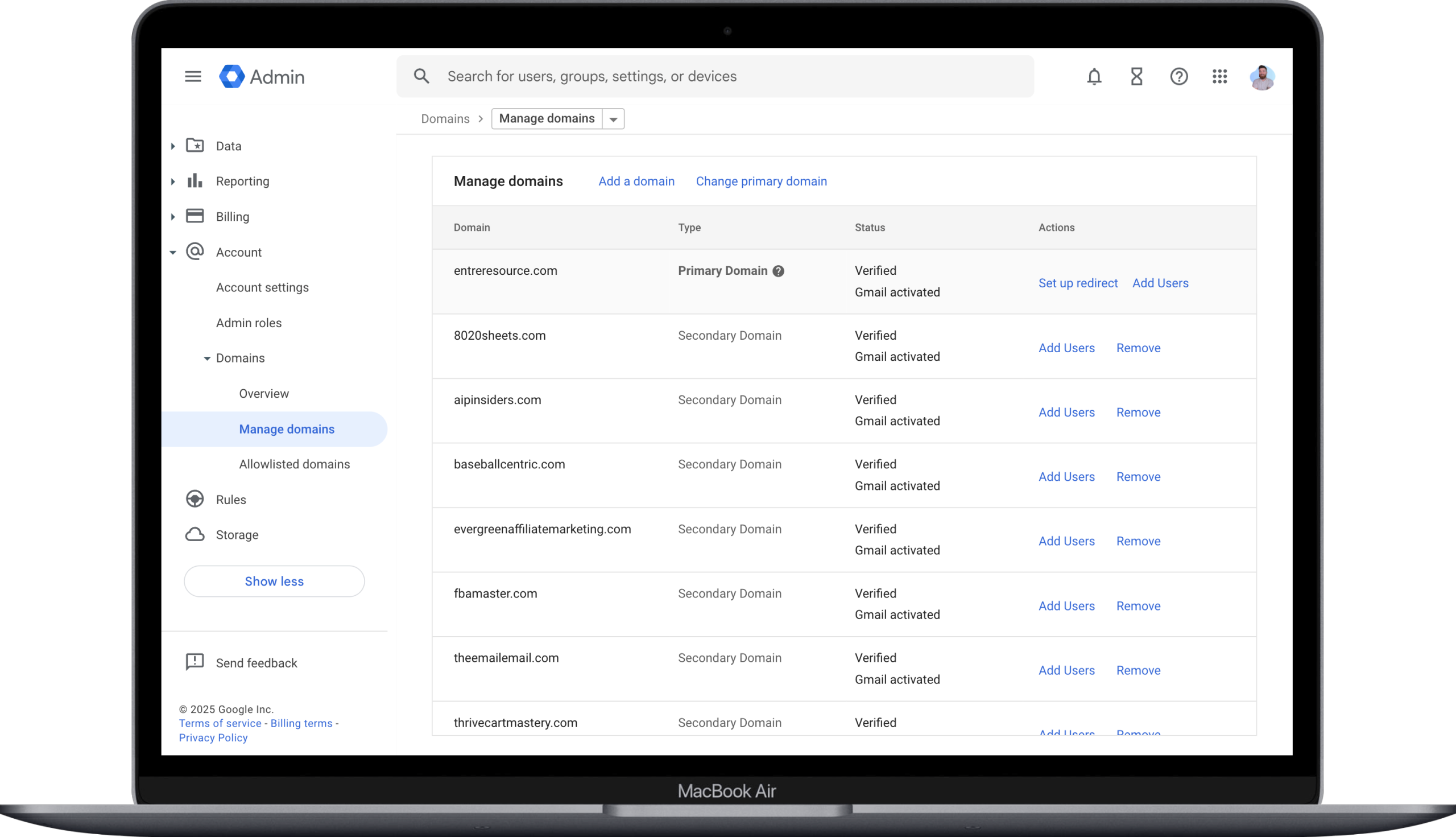
Google Workspace is my preferred solution for managing domains because it includes Gmail integration and provides a seamless experience. Here's why I recommend it:
• Familiar Gmail interface - Use the Gmail you already know and love
• Professional features - Calendar, Drive, Docs, and more included
• Excellent deliverability - Google's reputation ensures your emails reach inboxes
• Scalable - Easy to add team members as you grow
• Mobile integration - Works perfectly with all devices
Pricing: Starting around $6-12 per user per month
Best for: Businesses that want premium features and reliability
Free Options: Zoho Mail
If you're looking for a completely free solution, Zoho Mail offers an excellent forever-free plan:
• Up to 5 users per domain - Perfect for small teams
• 5GB storage per user - Adequate for most needs
• 25MB attachment limit - Handles most file sharing needs
• Web and mobile apps - Access your email anywhere
Important limitation: The free plan restricts you to Zoho's web app and mobile apps only - no IMAP/SMTP access for third-party email clients.
Pricing: Free forever
Best for: Solo entrepreneurs and small teams on a tight budget
Hosting Provider Email Services
Most web hosting providers include email hosting as part of their packages. Popular options include:
Bluehost
• Free email accounts included with hosting plans
• Webmail access and basic features
• IMAP/POP3 support for email clients
• Spam protection included
WPX Hosting
• Professional email hosting included
• Fast, reliable service with excellent support
• Multiple email accounts depending on plan
• Advanced spam filtering
Pricing: Usually included with hosting plans ($3-15/month)
Best for: Those who want email and web hosting from one provider
Alternative Paid Solutions
Porkbun Email Hosting
• $24 per year per inbox (50% off first year available)
• IMAP/SMTP compatible - works with any email client
• Domain and email management in one place
• 15-day free trial included with domain registration
Purely Mail
• Ultra-budget option at $10 per year per inbox
• No-frills approach - basic but functional
• IMAP compatible for email client access
• Perfect for minimal needs
Zoho Mail Paid Plans
• Light plan: $12 per year per user
• Standard plan: $15 per year per user with 10GB storage
• IMAP/SMTP access included in paid plans
• Advanced features and integrations
Privacy-Focused Option: Proton Mail
For those prioritizing privacy and security:
• End-to-end encryption for maximum security
• Custom domain support available
• Privacy-focused - no tracking or data mining
• Professional features in paid plans
Best for: Users who prioritize privacy and security above all else
How to Set Up Your Custom Domain Email
Step 1: Choose Your Provider
Select from the options above based on your needs and budget.
Step 2: Verify Domain Ownership
Most providers will require you to add DNS records to verify you own the domain.
Step 3: Configure DNS Records
Add the required MX, TXT, and other DNS records provided by your email host.
Step 4: Create Your Email Accounts
Set up the specific email addresses you need (info@, support@, yourname@, etc.).
Step 5: Test Everything
Send test emails to ensure everything is working correctly.
Making Your Choice
Here's my recommendation based on different scenarios:
• For businesses wanting premium features: Google Workspace
• For budget-conscious solopreneurs: Zoho Mail (free)
• For existing hosting customers: Use your host's email service
• For privacy advocates: Proton Mail
• For ultra-budget needs: Purely Mail
Final Thoughts
Having a professional email address with your domain name is one of the simplest yet most impactful steps you can take for your business credibility. Whether you choose a free solution like Zoho Mail or invest in Google Workspace, the key is to get started and maintain consistency in your professional communications.
Remember, your email address is often the first impression potential customers have of your business. Make it count with a custom domain email that reflects your professionalism and attention to detail.